Golf Simulator Garage Setup Guide
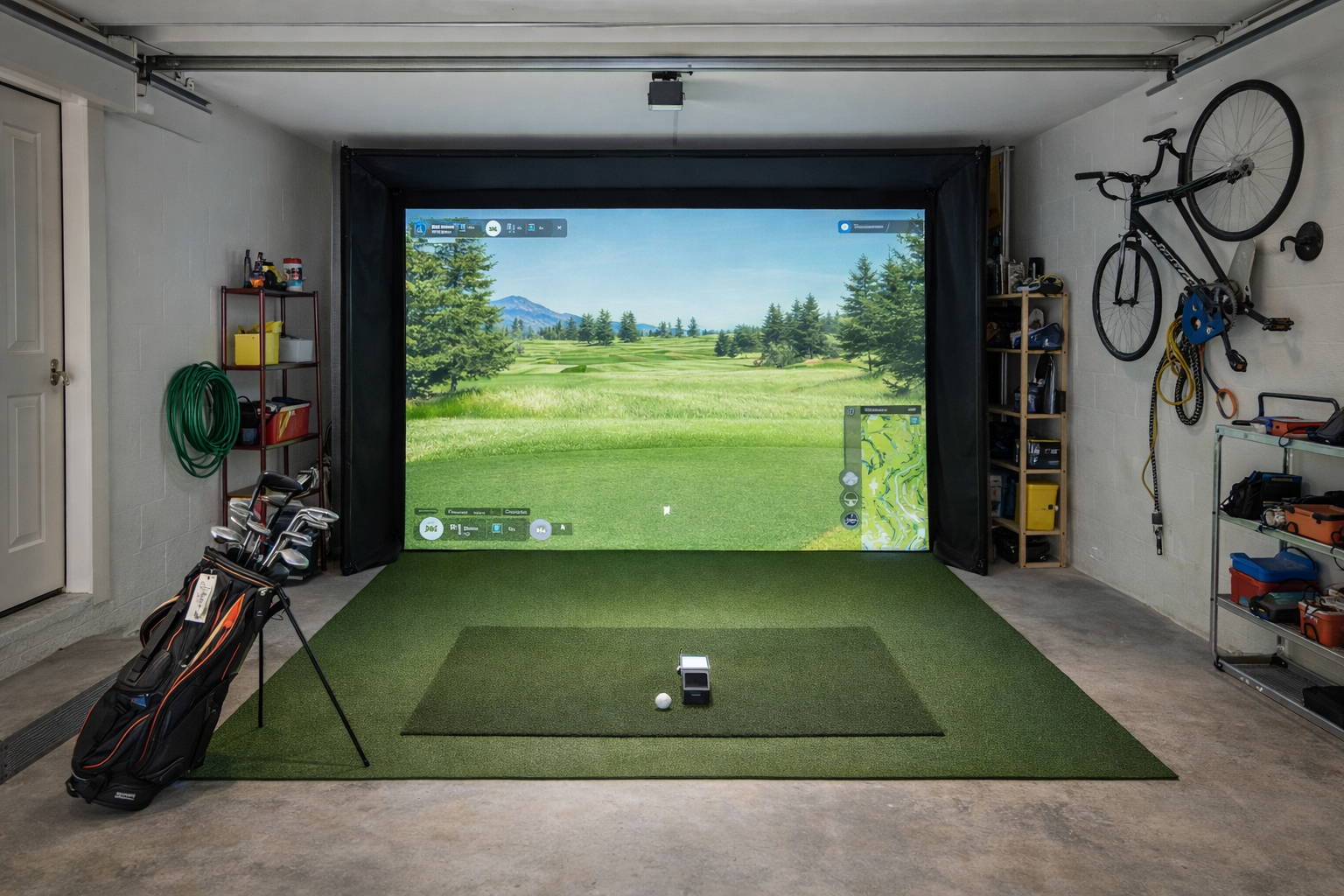
A good golf simulator garage setup starts with the garage, not the gear. Before you pick a launch monitor, screen, net, or projector, you need to know whether the space can actually support the kind of setup you want to use regularly.
Garages can be great simulator spaces because they often offer more depth and a more durable environment than spare rooms. They can also be awkward: doors, storage, cars, uneven floors, cold weather, poor lighting, and limited width can all make a garage setup harder than it looks.
Garage setup quick plan
- Start with the swing zone: make sure you can swing comfortably before buying anything expensive.
- Choose net or screen next: the hitting target determines a lot of the room layout.
- Pick the launch monitor after the layout: the monitor should fit the garage, not the other way around.
- Upgrade polish later: flooring, projector, and enclosure details are easier once the core setup works.
Step 1: Measure the garage honestly
Do not just measure wall to wall. Measure the usable hitting area after accounting for garage doors, storage, shelves, cars, opener rails, ceiling beams, and anything else that changes how the room feels.
Step 2: Decide between net and screen
A net-first garage setup is usually cheaper, simpler, and easier to test. A screen and enclosure setup feels more like a real simulator room but asks more from the garage and the budget.
Step 3: Choose the right launch monitor
The best launch monitor for a garage depends on the garage’s weakest dimension. If depth is limited, be careful with monitor choices that need more room to work comfortably.
Step 4: Get the mat and floor right
The hitting mat is not a throwaway accessory. In a garage, it affects comfort, durability, and whether the setup feels stable. Surrounding flooring matters too, but the hitting surface comes first.
Step 5: Decide whether projector is worth it
Projectors make garage simulators feel more complete, but they are not mandatory. A TV or tablet can make more sense if the garage is still a practical practice space rather than a dedicated simulator room.
Common garage setup mistakes
- Buying the monitor first. The layout should come first because the garage decides what works.
- Ignoring storage. A garage that works only when perfectly cleared may not work in real life.
- Forcing a projector too early. Start with a working hitting bay before chasing a finished simulator look.
- Underestimating temperature and lighting. Comfort matters if you want to use the setup often.
One-car vs two-car garage
A two-car garage gives you more options, especially for width and everyday usability. A one-car garage can still work, but it usually needs a more disciplined setup and fewer assumptions about full-room polish.
Bottom line
A garage can be one of the best places to build a home golf simulator, but only if you let the garage lead the plan. Start with swing comfort and usable layout, choose net or screen, then pick the monitor and room components that fit the garage you actually have.
Garage size follow-up guides
Garage builds change a lot depending on whether the space is one-car, two-car, permanent, or retractable.
Two-car garage simulatorOne-car garage simulatorRetractable garage setup