Best Projectors for Golf Simulators
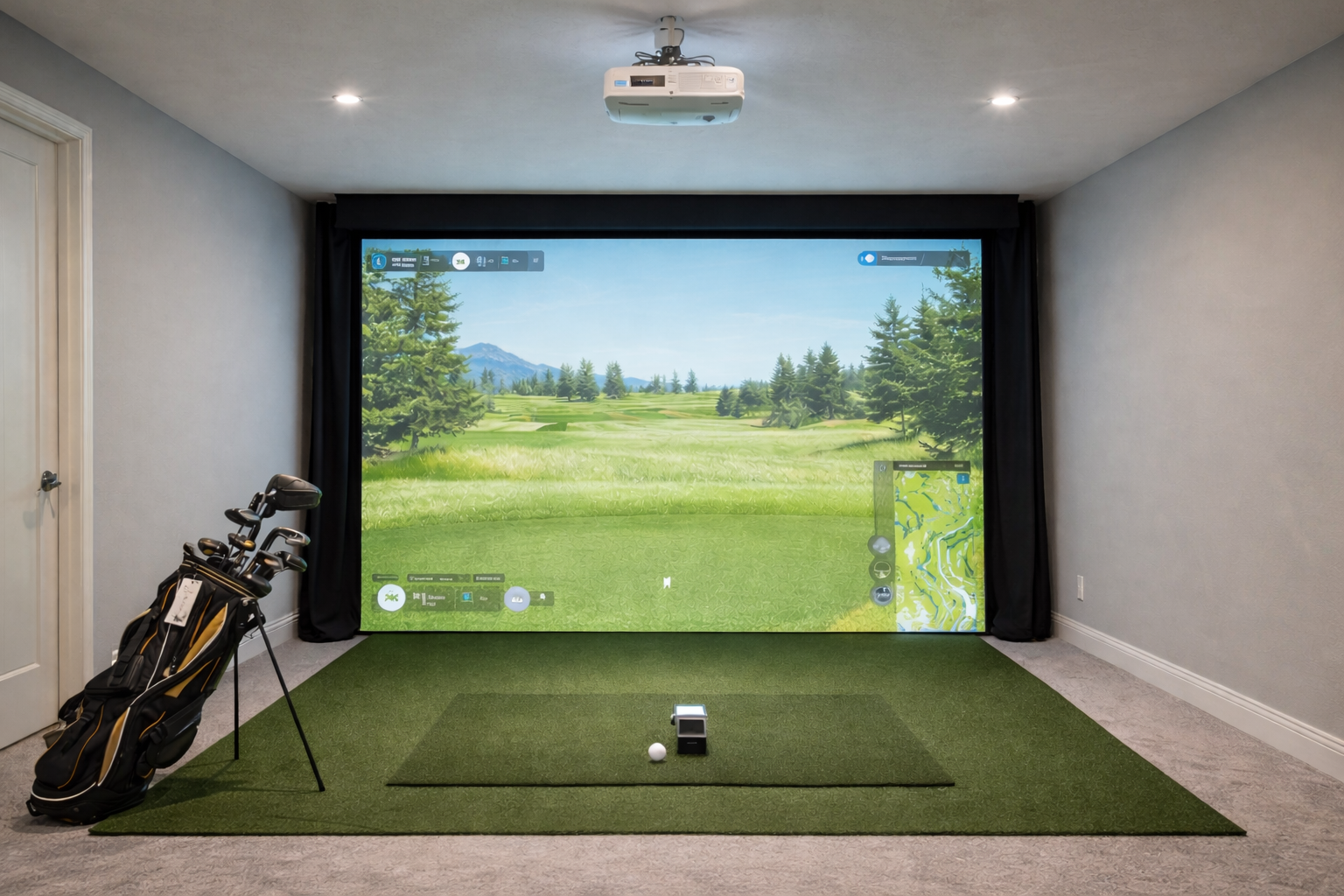
Projectors matter, but they are one of the easiest pieces of the build to buy too early. The mistake most home buyers make is treating the projector like the centerpiece before they have settled the room, enclosure size, hitting position, and launch-monitor fit.
Quick product links
Use these links to check current pricing and compare your options. Start with Amazon if you want fast price comparison, then use the official site when you need model details, software info, or package specifics.
Golf simulator projectors
BenQ projector options
Optoma projector options
The best projector is the one that matches the room cleanly, creates the image size you actually need, and shows up at the right point in the build. In a lot of home setups, that means a short-throw projector and a little more discipline than excitement. If your room dimensions are still fuzzy, start with the room size guide before you shop brightness and resolution.
How this site approaches recommendations
IndoorGolfSetup.com is built around room fit, budget realism, and long-term livability rather than just spec-sheet hype. The goal is to help buyers choose a setup that actually fits their space and feels worth owning after the novelty wears off.
Some pages on this site may include affiliate links. That does not change the recommendations: the goal is still to sort products by room fit, budget, and who each option actually makes sense for. Read the full affiliate disclosure.
- Best overall path: short-throw projector sized to the room and screen
- Best value path: practical 1080p short-throw model for normal home builds
- Best for brighter garages: higher-brightness short-throw projector
- Best premium sim-room path: brighter laser projector with cleaner installation flexibility
Projector fit checklist before you compare models
For a golf simulator projector, the real question is not just which model looks best on paper. It is whether the projector can create the right image from a mounting spot that does not interfere with your swing, your launch monitor, your enclosure, or the path of the ball.
| Decision | Why it matters in a simulator | Best next guide |
|---|---|---|
| Throw distance | Determines whether the image fills the screen from a realistic ceiling or floor position. | Short-throw projectors |
| Room depth | A deep room can hide mistakes; a shallow room makes projector placement much less forgiving. | Simulator depth guide |
| Screen size and shape | The screen ratio affects whether the image looks natural or wastes space on the impact screen. | Impact screens |
| Ambient light | Garage doors, windows, and multipurpose rooms usually need more brightness than a dark dedicated room. | Garage setups |
| Small-room tradeoffs | Tighter rooms usually need a more careful projector path and a photometric launch monitor plan. | Small-space setups |
What matters most
Throw ratio
This is the first real filter. If the projector cannot create the image size you want from the mounting distance your room allows, nothing else matters.
Brightness
Brightness matters more in garages and mixed-use spaces than in darker dedicated rooms. Buyers often underrate this because product pages look bright and clean regardless of the real room.
Resolution and polish
These matter, but usually after throw distance, fit, and brightness. Buying “better looking” before buying “correctly sized for the room” is how people waste money here.
Why short throw usually wins at home
Short-throw projectors make simulator rooms easier because they let you create a large image without forcing a bad mounting position. That is why they make so much sense in garages, shorter rooms, and any build where the enclosure and hitter position already use up a lot of the available depth.
Best projector paths by buyer type
Best value route
A practical short-throw 1080p projector is enough for a lot of home buyers. That is especially true if the rest of the simulator is still in the value-to-mid-tier range and the room itself is not begging for a premium picture upgrade yet.
Best for brighter garages
Garage buyers should lean harder into brightness and installation practicality. A darker dedicated-room recommendation does not always translate cleanly to a garage with ambient light and more mounting compromises. Pair this with the garage guide before you buy.
Best premium path
If the simulator room is already strong and you care about a cleaner, brighter, more polished picture, paying up for a more capable laser short-throw model starts to make sense.
When you should not buy the projector yet
- The room depth and enclosure size are still unresolved.
- The launch monitor choice is still changing.
- The mat or enclosure is the bigger weak point in the build.
- You are still proving the simulator will be used consistently.
Common mistakes
- Buying before checking throw distance.
- Choosing resolution or brand prestige over room fit.
- Overspending here before the core setup feels right.
- Underestimating how much garages reward brightness and practicality.
Golf simulator projector questions buyers ask early
Do you need a special projector for a golf simulator?
You do not need a projector labeled only for golf, but you do need one that fits the simulator room. Throw ratio, brightness, mounting position, and image shape matter more than generic home-theater specs.
Is a short-throw projector better for a golf simulator?
Usually, yes. A short-throw projector is often easier to place in front of or near the hitting area without casting awkward shadows or forcing the projector too far behind the player.
Is a projector better than a TV for a golf simulator?
A projector is better when you want the full impact-screen experience. A TV can still make sense for a cheaper net-based setup, a portable practice station, or a room where mounting a projector cleanly is not realistic. See the TV vs projector guide before you commit.
What if the room is small?
In a small room, choose the launch monitor and hitting location first, then solve the projector. That order prevents you from buying a projector that only works on paper.
Projector setup next steps
If you are still deciding whether the projector can actually work in your room, solve placement and aspect ratio before comparing final models.
Projector decision table
Before choosing a model, decide the mounting path. The right projector is the one that fills the screen from a safe position without creating shadows or forcing a weird hitting spot.
| Room problem | Better projector path | Why |
|---|---|---|
| Short room | Short throw or ultra-short throw | Less distance needed to fill the screen |
| Garage with shared use | Ceiling or protected floor mount | Keeps the projector repeatable and out of the way |
| Low ceiling | TV/no-projector first | A projector may make clearance and shadows worse |
| Wide impact screen | Check aspect ratio first | Image shape matters as much as brightness |
Bottom line
The best projector is not the most exciting spec sheet. It is the short-throw model that fits the room, matches the screen, and upgrades the simulator at the right time instead of too early. If the build sequence itself still feels fuzzy, go next to what you actually need and the enclosure guide.
Check room depth first Match the projector to the enclosure See garage-specific advice See the full build order
BenQ, budget, and premium projector paths
Projectors are one of the most confusing parts of a home simulator build because they affect image size, mounting position, shadows, room layout, and total cost. The guide now answers brand, budget, throw-distance, and room-fit questions more directly.
| Buyer path | What to compare | Best next guide |
|---|---|---|
| BenQ-focused buyer | AH700ST vs LK936ST vs TK700STi-style short throw options | BenQ projector guide |
| Budget buyer | Whether a practical 1080p short-throw projector is enough | Short-throw projectors |
| Premium room buyer | 4K, laser brightness, lens shift, screen size, and installation flexibility | Placement guide |
| No-projector buyer | TV, tablet, or net-only practice first | No-projector setups |
BenQ’s official pages are useful because they publish golf-simulator-specific positioning for models such as the AH700ST and LK936ST. Still, the practical rule is simple: do not pay for 4K or extra brightness before you know the screen size, lighting, and safe mounting position.