Garmin Approach R50 Space Requirements for a Home Simulator
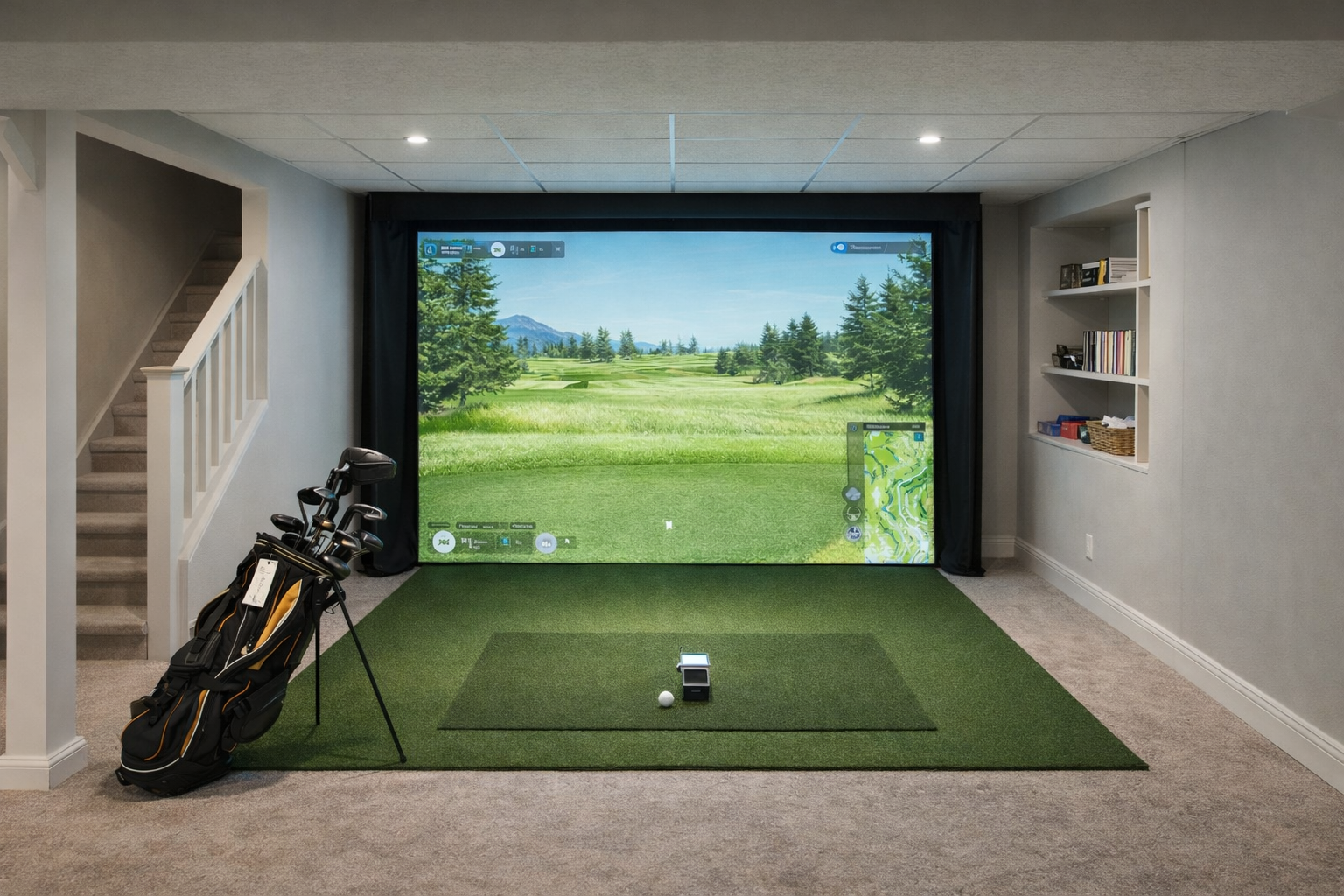
Garmin Approach R50 changes the home simulator buying conversation because it is not just a simple portable launch monitor. Garmin describes it as a premium golf simulator and launch monitor with a built-in 10-inch color touchscreen, three-camera measurement, and HDMI output for connecting to a projector or display. That makes room planning more important, not less.
Quick answer
- Best fit: a dedicated or semi-dedicated room where the screen, display, mat, and hitting zone can stay set up.
- Main advantage: camera-based measurement and built-in simulator/display features can simplify parts of the build.
- Main caution: the room still needs safe swing clearance, ball flight, screen/net distance, and a sensible display or projector plan.
- Do not buy by device size alone: the R50 may be compact, but the simulator bay around it is still a real room project.
What makes R50 different for room planning
The R50 can reduce some of the device clutter because the screen and simulator experience are built into the unit, and HDMI output gives buyers a path to a larger projector or display. But the bigger build still depends on the room: ceiling height, width, depth, hitting mat, ball containment, and whether you want a TV-style setup or a true impact-screen setup.
Garmin R50 room-fit check
The Garmin R50 can make the hardware side feel simpler, but it does not make the room smaller. Treat the R50 as the center of a simulator bay: mat, ball containment, display choice, side protection, and walking space all matter before the built-in screen or HDMI output becomes useful.
- Best fit: a dedicated room or garage bay where the mat, screen, and display can stay aligned.
- Display decision: use the built-in screen for the simplest path, a TV for a compact setup, or a projector when the room can support a full impact-screen build.
- Compare before buying: read Garmin R50 vs SkyTrak+ and TV vs projector before committing the room layout.
Minimum vs comfortable planning
| Room question | Practical answer | Why it matters |
|---|---|---|
| Ceiling height | Measure the tallest golfer’s full swing first | No launch monitor fixes a ceiling that changes your swing. |
| Display setup | Decide between built-in display, TV/monitor, or projector | Projectors and screens add throw distance, mounting, and enclosure questions. |
| Room permanence | Best for a room that can stay partly assembled | The R50 is premium enough that the room should support the investment. |
| Containment | Use a net or impact screen sized for real misses | Premium hardware does not reduce shank or bounceback risk. |
Who should consider the R50
The R50 is most interesting for buyers who want a cleaner, more integrated simulator experience and are willing to build a room around it. It is less logical if the room is temporary, very short, or only barely safe for a full swing.
What to plan with the R50
- Where the unit sits relative to the ball and hitting mat.
- Whether you will use the built-in screen, a TV, or HDMI to a projector.
- Whether the room is wide enough for the normal player, not just the measured mat.
- How you will handle screen/net depth, bounceback, side protection, and flooring.
Source note
Garmin’s official R50 product page describes the unit as a premium golf simulator and launch monitor with a 10-inch color touchscreen, three-camera measurements, and HDMI output for connecting to a projector or display. Use those features to plan the room, but still measure the full simulator bay before buying.
Related room-fit guides
Room fit usually matters more than the launch monitor name on the box. Use the links below to check the whole build before buying.